Compare image optimisation tools while checking quality, originals and current plan limits.
HVIPS editorial teamReading: 3 minutes
Image from the original article
Resize before compressing
Retain originals and choose dimensions suited to the display area. Compression alone does not replace resizing. Test photos, logos and Arabic text, and compare visual quality and file size before processing the entire library.
The five plugins covered
The article covers reSmush.it, EWWW Image Optimizer, TinyPNG Image Optimization, ShortPixel Image Optimizer and Smush. Processing methods, external services and free versus paid features differ. Check each current listing rather than relying on historical quotas or prices.
Test delivery and performance
Avoid overlapping image-processing tools unless responsibilities are clear. Check WebP or AVIF delivery and fallbacks. Test actual pages after clearing caches, including thumbnails and the lead image. Smaller images alone do not guarantee search rankings.
Tutorial screenshots
These images belong to the original tutorial; follow the reviewed instructions above where interfaces differ.
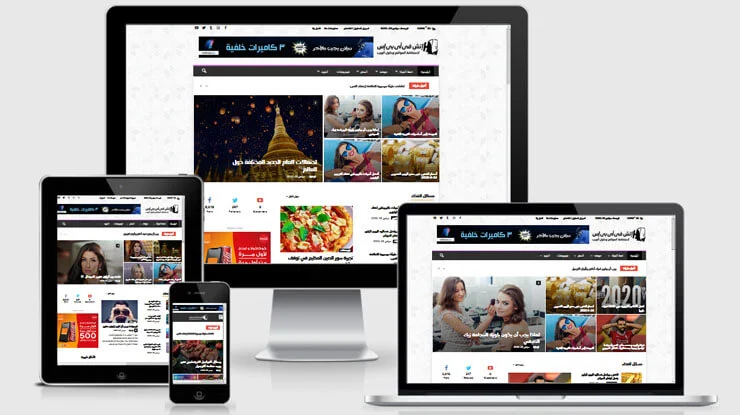
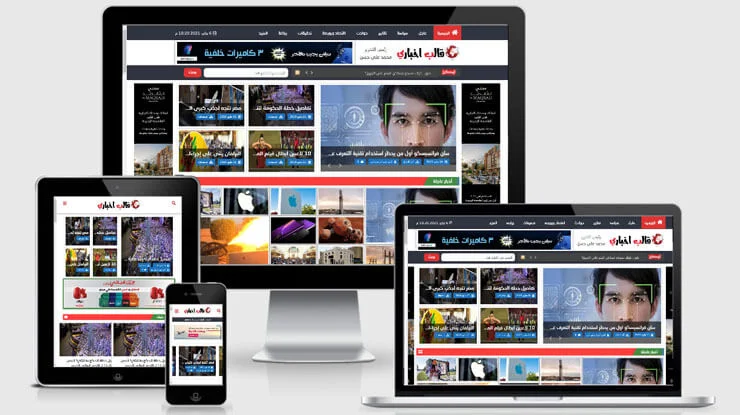
The original 2023 theme collection, with practical checks for language, compatibility and performance.
HVIPS editorial teamReading: 3 minutes
Image from the original article
About the 2023 collection
This is the collection published in 2023, rather than a current-year ranking. The original theme names and page links remain available. Confirm the available release, licence and support before ordering.
Test Arabic with real content
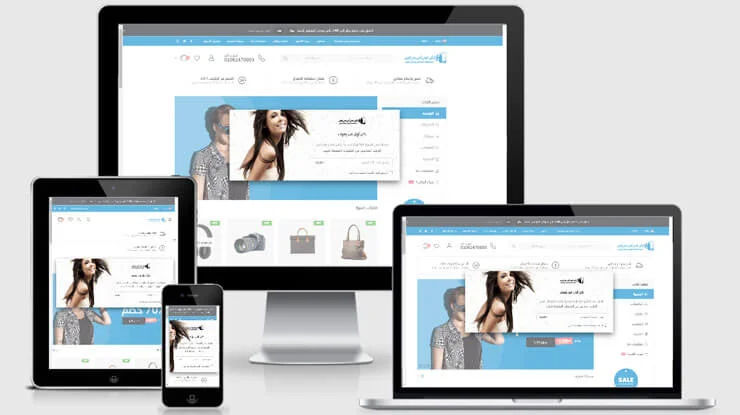
Test menus, forms, long text, Arabic fonts, numbers and RTL direction on desktop and mobile. Try your real content; a promotional screenshot does not establish whether a theme fits your project.
Performance, updates and licensing
Compare performance using realistic content, and check updates, plugin compatibility and PHP requirements. Confirm the site allowance, support period and bundled-plugin licences. A paid theme alone does not guarantee security or speed.
Tutorial screenshots
These images belong to the original tutorial; follow the reviewed instructions above where interfaces differ.
Plan a Joomla-to-WordPress migration and validate content, media and URLs before launch.
HVIPS editorial teamReading: 3 minutes
Image from the original article
Prepare a staging migration
Back up Joomla files and its database, and list important pages, URLs and media. Prepare WordPress on a staging site and define the migration scope. Do not assume every extension, user or custom function will migrate automatically.
Use the correct connection details
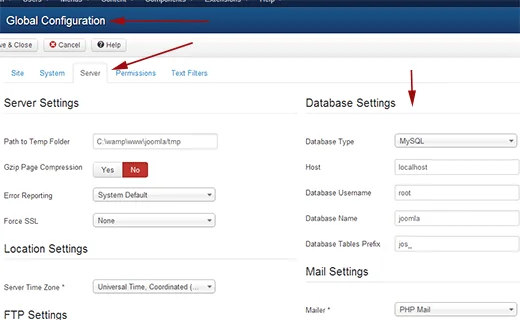
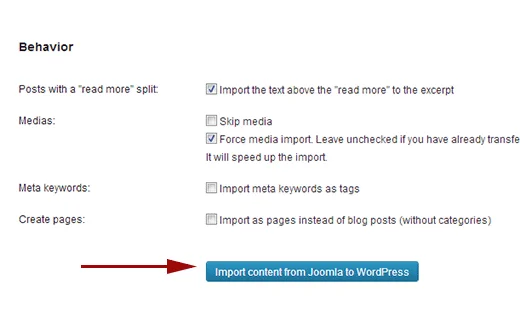
FG Joomla to WordPress is the migration tool covered here. Check release compatibility and feature limits, then obtain the Joomla database details from configuration.php or the administration interface. Keep credentials private and test a limited import first.
Validate before switching over
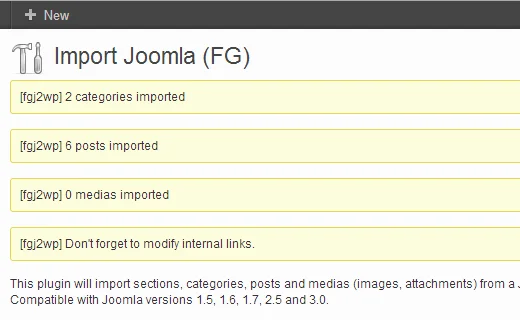
Compare articles, categories and media, and check internal links, images and dates. Prepare 301 redirects for changed URLs, test forms and search, and retain the old website and rollback backup until the migration is accepted.
Tutorial screenshots
These images belong to the original tutorial; follow the reviewed instructions above where interfaces differ.
Why your business needs a website: 8 benefits and a starting plan
A business website can explain your services, answer customer questions and make enquiries easier. This guide covers eight practical benefits, the essentials to prepare and a starting plan suited to your business.
HVIPS editorial team5 min read
A business website starts with a clear purpose and content.
8 reasons to create a business website
1. Present the business clearly
Bring the business name, services, audience and contact details together. Instead of searching through scattered posts, a visitor can understand what you provide and how to request it. This is useful for small businesses, service providers and new projects.
2. Make information available outside working hours
Visitors can read service information and submit enquiries when the office is closed. State your response hours and expected turnaround. Being able to send a request does not mean that a staff member is available to reply immediately.
3. Build trust with verifiable information
A clear company profile, previous work and accurate contact information help customers assess the business. Publish genuine testimonials with permission and explain how the service works. Good design supports these details; it does not compensate for exaggerated promises.
4. Organise enquiries and service requests
A suitable form can collect the service type, request details and contact method before you reply. A web-design business, for example, can ask about the website type and required pages. Collect only necessary information and test that messages reach the responsible person.
5. Provide useful search and campaign destinations
Create a useful page for each important service or product, answering customer questions and showing the offer clearly. These pages can support campaign and social links. Search visibility also depends on content, technical quality and ongoing work; launching a website does not guarantee rankings.
6. Maintain a stable address for your content
A domain gives you a consistent address for business cards, invoices and campaigns. You can organise and update the website around business needs. Retain domain-registration details, administration access and backups, and assign renewal and maintenance responsibilities.
7. Support sales and bookings when needed
Add ecommerce or booking functions when the business needs them. Make the customer journey clear: choose the offer, review its details, then order or book. Plan availability, payment, confirmations and follow-up according to the project.
8. Measure results and improve the experience
Measure meaningful actions such as enquiries, quotation requests and bookings, using suitable tools and your website’s privacy settings. Assess enquiry quality and actual business outcomes, then improve the pages, buttons and content accordingly.
A website or social media pages?
Each channel serves a purpose. Use social accounts for updates and interaction and the website for organised information, services and requests. Keep business information and contact routes consistent.
Need
Website
Social pages
Service details
Structured pages for each service
Posts and links to full details
Interaction
Forms and designed contact routes
Comments, messages and platform tools
Content organisation
Control over structure, design and functions
Within the platform’s tools and rules
What should you prepare?
Prepare a clear brief before choosing a design or theme. It makes proposals easier to compare and reduces late changes.
A primary goal: information, enquiries, sales or bookings.
A defined audience and suitable language.
Essential pages: home, about, services or products, work and contact information as needed.
Original or licensed content and accurate contact details.
A suitable domain and hosting, with renewal, backup and maintenance arrangements.
Someone responsible for enquiries and updates after launch.
Describe the business and the outcome the website should help customers achieve.
Choose the pages and functions needed for the first release; schedule optional features later.
Compare proposals by scope, content, licensing and maintenance, as well as design and cost.
Test mobile reading, navigation and forms, verify message delivery and retain a backup.
Launch after reviewing information and links, then schedule a results review.
A simple starting example
A single-service business may start with service details, examples and a quotation form. An appointment-based business should plan availability, confirmation and cancellation from the start.
How do you know the website is working?
Measure against the website goal. For enquiries, examine relevance, response time and actual business outcomes. For a store, review completed orders, payment problems and checkout abandonment. Traffic alone does not explain result quality.
If visitors leave without enquiring, examine the offer, examples and contact route before adding more effects. To improve discoverability, review SEO fundamentals as part of the content and performance plan, without assuming a guaranteed ranking.
Choose the next step for your business
Once the pages and essential functions are clear, discuss an implementation that fits that scope. Start with what serves customers now and allow for future development.
Do I need a website if I already have a Facebook page?
It depends on the business. Social pages support reach and interaction, while a website provides an organised place for service details and requests. They can work together.
Which website type suits a small business?
Start with the required function: company information, ecommerce, bookings or publishing. A small informational website may be sufficient for presenting services and receiving enquiries.
How much does a website cost?
Cost depends on pages, design, functionality, content and integrations, plus the domain, hosting and maintenance. Ask for an itemised scope and recurring costs.
Does a website guarantee sales or first place in Google?
Publishing alone does not guarantee a result. The offer, content, marketing, usability, customer follow-up and competition influence outcomes.
What should I prepare before contacting a web-design company?
Prepare the business description, website goal, services, required pages, available content and essential functions. Decide who will manage the domain, website and future updates.
HVIPS / FEEDBACK
Was this article helpful?
Your feedback helps us improve.
Be the first to rate
Preview: your rating is saved in this browser only.
Embed a SoundCloud player and distinguish current embedding from an older plugin interface.
HVIPS editorial teamReading: 3 minutes
Image from the original article
Embed from SoundCloud
Open a track or playlist that allows embedding, choose Share and then Embed, preview the player and copy its code. Insert it into an HTML component that supports iframes or use your platform’s supported embed method.
Identify the plugin in use
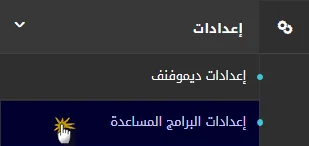
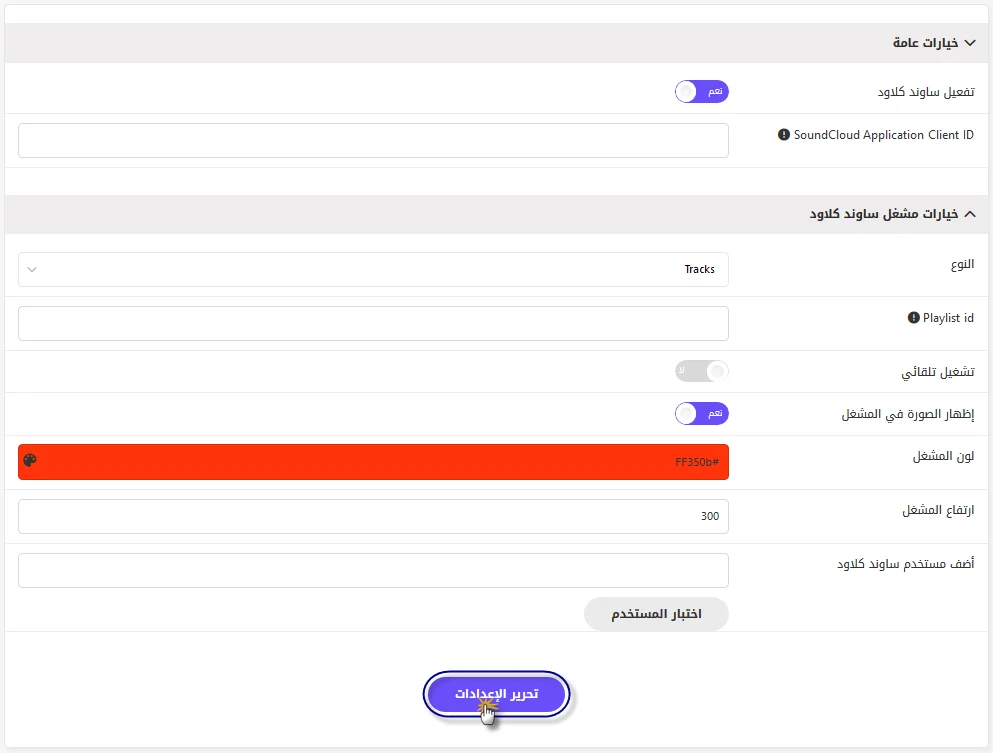
The original screenshots show an older plugin with user-group settings; that interface does not appear on every website. Identify the actual plugin and release before changing its options. WordPress may support embedding the track link directly.
Test playback and layout
Test desktop and mobile playback, track availability and embedding permissions. Use content you are entitled to publish and apply the privacy and consent settings used by your website.
Tutorial screenshots
These images belong to the original tutorial; follow the reviewed instructions above where interfaces differ.
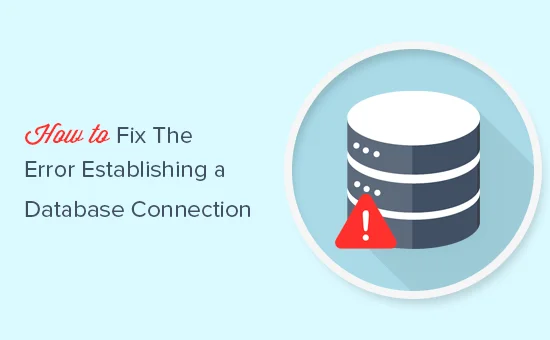
Check connection details and database availability, and retain a backup before edits or repair.
HVIPS editorial teamReading: 3 minutes
Image from the original article
Back up and diagnose first
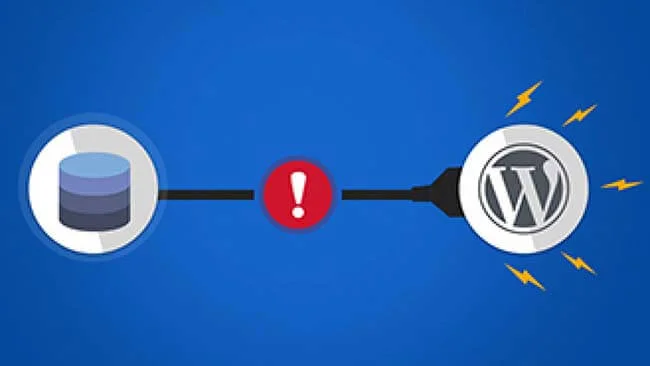
Back up the website files and database before changing anything. The message indicates that WordPress could not connect; credentials, database availability, permissions or damaged tables may be involved. Check the hosting service and error logs.
Check wp-config.php
Compare DB_NAME, DB_USER, DB_PASSWORD and DB_HOST with the actual database settings. DB_HOST is not always localhost. Do not publish the password or configuration file. If a database-user password changes, update the matching configuration value.
If diagnosis indicates damaged tables, back up before using WordPress repair. Temporarily enable WP_ALLOW_REPAIR and open /wp-admin/maint/repair.php on your own domain. Remove the enabling line immediately afterward; the enabled repair page does not require a login.
define('WP_ALLOW_REPAIR', true);
Tutorial screenshots
These images belong to the original tutorial; follow the reviewed instructions above where interfaces differ.
Caching reduces repeated work when serving pages. Test settings on a staging site and exclude personalised pages, carts and checkout where appropriate.
Test before you change
Record the current setup, make one change at a time and compare the result. Ask your provider about settings specific to your hosting plan.
Update WordPress, themes and plugins from trusted sources. Use unique passwords and appropriate permissions, and keep independent backups with a tested restore process.
Test before you change
Record the current setup, make one change at a time and compare the result. Ask your provider about settings specific to your hosting plan.
Start with what your website needs. Compare performance, backups, support and the full cost before choosing a plan.
HVHVIPS editorial team5 min read
WordPress hosting — editorial illustration
Understand your website
A personal blog, a company website and a busy online store have different requirements. Write down what the site does, the plugins it uses and how important uninterrupted access is to your business.
For a new company site with a few pages, choose a sensible starting plan with room to grow. A store needs closer attention to database performance, checkout reliability and support during incidents.
Start here
List your site type, expected traffic pattern, storage needs and who will maintain it. Ask the provider to recommend a plan using those details.
Compare hosting types
The service name alone does not tell you how many resources you receive or which tasks the provider handles. Compare the actual plan terms.
Type
Useful for
What to ask
Shared hosting
Small websites with predictable needs
CPU, memory, process and backup limits
WordPress hosting
Sites that benefit from WordPress-focused tools
Which management tasks are included?
Cloud hosting
Projects that need flexible infrastructure
How scaling and resource allocation work
VPS
Projects needing more control
Who manages security and updates?
Managed and unmanaged services can differ substantially. Confirm the responsibilities in writing.
Check performance
Storage capacity is only one part of the comparison. Ask about available memory, processor limits, concurrent processes and database restrictions. These can affect a WordPress site even when plenty of storage remains.
Audience location: choose an appropriate server region and discuss CDN options.
Caching: confirm that the setup supports your pages and excludes personalised carts and checkout where needed.
Real measurements: assess representative pages with your theme, images and plugins.
Upgrade path: understand how a move to a larger plan works.
A faster plan cannot compensate for every heavy plugin or oversized image. Website optimisation and hosting resources work together.
Protect your work
Ask how often backups run, how long copies are retained, where they are stored and whether restoring a site costs extra. A backup policy is useful only when you understand the restore process.
Before a major update
Keep a separate copy of important data and use a staging site when available. Check that you can return to a working version.
Confirm SSL availability, account protection and the scope of malware assistance. Ask support what it handles when a plugin causes a failure, and what remains your responsibility.
Calculate the full cost
Compare the price you pay today with the renewal price. Include the domain, backups, migration, email, security services and any paid tools your project needs.
Check the billing term and renewal conditions.
Read cancellation and refund terms before ordering.
Ask whether taxes or optional services change the total.
Confirm whether migrating an existing site is included.
An annual plan can have a different effective monthly cost from a monthly subscription. Compare the same billing term and service scope.
Your buying checklist
My site type and essential plugins are compatible with the plan.
Resource limits and the upgrade process are clear.
I understand backup retention and restoration.
The provider has explained support responsibilities.
I have checked the complete purchase and renewal costs.
I have read the service, cancellation and refund terms.
Explore WordPress hosting
Review the available plans, then confirm the details that matter to your website before ordering.
Not automatically. Start from the site’s requirements and the resources included in the plan. A VPS also introduces management responsibilities unless these are included.
Does unlimited storage mean unlimited resources?
No. Read the fair-use policy and check processor, memory, process and file limits.
Is a free SSL certificate enough to secure the whole site?
SSL protects the connection. You still need updates, access controls, backups and suitable application security.
Can I move to another plan later?
Ask the provider about the migration process, possible downtime and costs before choosing.
HVIPS / FEEDBACK
Was this article helpful?
Your feedback helps us improve.
Be the first to rate
Preview: your rating is saved in this browser only.