Prepare a staging migration
Back up Joomla files and its database, and list important pages, URLs and media. Prepare WordPress on a staging site and define the migration scope. Do not assume every extension, user or custom function will migrate automatically.
Use the correct connection details
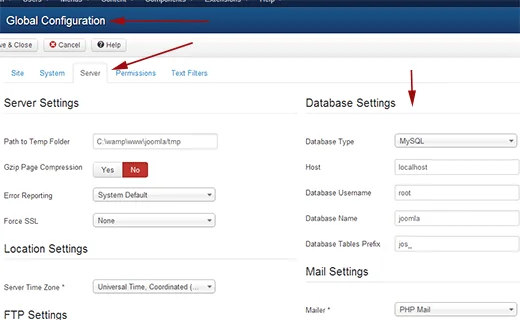
FG Joomla to WordPress is the migration tool covered here. Check release compatibility and feature limits, then obtain the Joomla database details from configuration.php or the administration interface. Keep credentials private and test a limited import first.
Validate before switching over
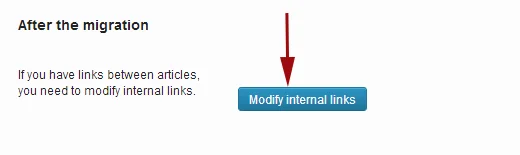
Compare articles, categories and media, and check internal links, images and dates. Prepare 301 redirects for changed URLs, test forms and search, and retain the old website and rollback backup until the migration is accepted.
Tutorial screenshots
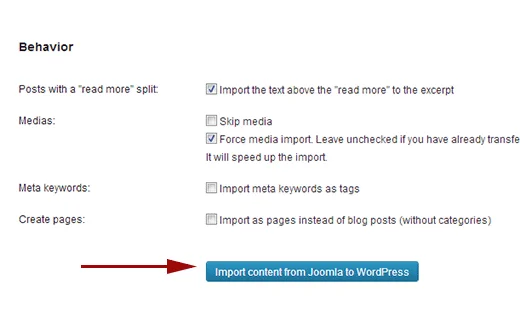
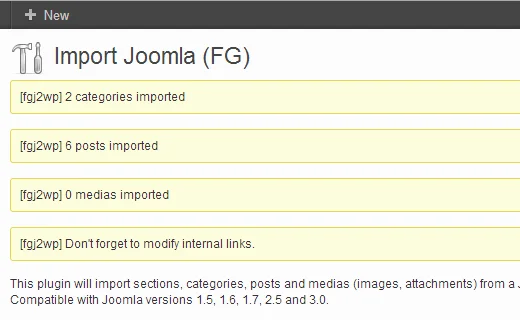
These images belong to the original tutorial; follow the reviewed instructions above where interfaces differ.
References and tutorial links
What does this guide cover?
Plan a Joomla-to-WordPress migration and validate content, media and URLs before launch.
Do screenshots and videos show the newest interface?
Original media are retained. Interfaces can vary by release; use the reviewed written steps and documentation links.
How can I ask for help with my situation?
Send the service name, release, error message and a description to support. Do not publish passwords or sensitive connection details.