

Separate crawling, indexing and ranking
Crawling is fetching a page, indexing involves processing it for the search index, and ranking selects results for a query. Publication or sitemap inclusion does not prove indexing. An indexed page is not guaranteed a high position, so identify the affected stage before changing content or settings.
Verify the correct Search Console property
Verify ownership with an available method and follow its instructions. A domain property covers protocols and subdomains, while a URL-prefix property covers its specific prefix. Inspect the version actually in use, including HTTPS and the chosen hostname. Google Analytics serves a different purpose and is not a general indexing requirement.
Check access and indexing directives
Check that intended public pages work without login and respond successfully. Review robots.txt, WordPress visibility settings, meta robots and response headers. Blocking crawling is different from preventing indexing: Google must access a noindex directive to read it. Keep private staging environments restricted and apply changes only to the intended published site.
Set consistent canonicals and sitemaps
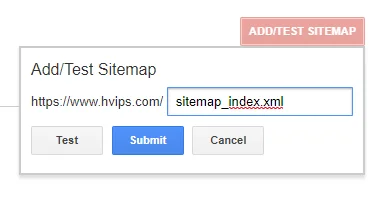
Choose a canonical version for each page and use it in internal links and sitemaps. Review redirects across protocol and hostname variants. Include valid canonical URLs intended for indexing in the XML sitemap and submit it to Search Console. Exclude deleted, redirected or noindexed pages. A sitemap supports discovery but does not force indexing.
Connect pages and provide useful content
Make important pages reachable through HTML links from relevant sections rather than site search alone. Use descriptive anchors and review orphan pages and duplicates. Answer the reader’s need with appropriate evidence or experience. No fixed text-to-HTML ratio or link count compensates for weak content or poor discovery.
Request indexing and monitor reports
Inspect a canonical URL and use a live test when checking technical changes. After resolving blockers, request indexing for an individual page and use sitemaps for larger sets. Monitor page indexing reports. Repeated requests for the same URL do not make processing faster, and there is no guaranteed crawling or indexing deadline.
Original article images
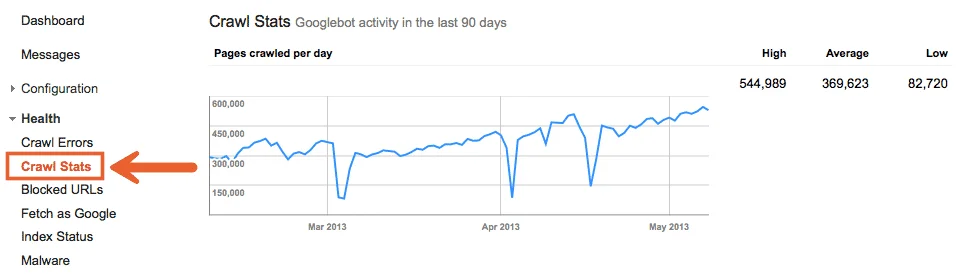
These are preserved original media and may depict obsolete tools or interfaces. Use the reviewed instructions above for current practice.

References and tutorial links
- support.google.com — Source documentation
- developers.google.com — Source documentation
- developers.google.com — Source documentation
- developers.google.com — Source documentation
- developers.google.com — Source documentation
- Yoast SEO setup guide for WordPress
- Google News eligibility and website preparation
- Improve WordPress speed and performance
- Why pages are not indexed and how to diagnose it
- Index blog posts: a practical publishing checklist
Does a sitemap guarantee indexing?
No. It supports URL discovery but does not guarantee indexing.
Is Google Analytics required?
It is not a general indexing requirement. Use Search Console to inspect search status.
How long does indexing take?
Timing varies and some pages may not be indexed. Diagnose the cause rather than rely on a fixed deadline.