
Skip to content
Since 2005 • Commercial registration 392254
Home/BlogSEO guidesHosting guides
SEO guides

Index blog posts: a practical publishing checklist

Follow a practical post-publication checklist for article URLs, content, directives and internal links, then use URL Inspection appropriately.

HVIPS editorial teamReading: 4 minutes
Index blog posts: a practical publishing checklist
Image from the original article

Before publishing: check readiness

Review the answer, title, description and sources, and use appropriate images with descriptive alt text. Check links and time-sensitive claims. Choose a stable URL before publication and avoid later cosmetic URL changes without a reason and redirect plan. An indexing request cannot compensate for an unfinished article.

After publishing: test as a visitor

Open the final URL without relying on an administrator session. Check content, images, links and mobile usability, then verify the response, canonical and any unintended noindex. Make sure draft or staging restrictions have not followed the content into production. Inspect the published URL rather than a temporary preview link.

Add internal discovery and update the sitemap

Link the article from its category or a related page using descriptive text. Check sitemap inclusion where appropriate for that content type. Add useful contextual links from relevant existing articles, avoiding irrelevant link stuffing. General ping services and old directory lists are not prerequisites for indexing.

Inspect the URL and request indexing

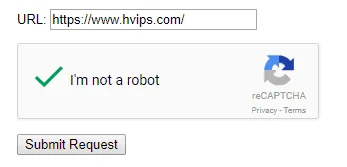
Select a Search Console property that covers the URL and inspect the final article address. Read the result and use a live test to check accessibility or a recent fix. Request indexing when the page is ready and no clear blockers remain. This does not guarantee inclusion or immediate appearance.

Monitor without repeatedly changing URLs

Record publication and inspection details, then review indexing and performance later. Diagnose reported issues rather than continuously resubmitting. Improve missing or incorrect information while retaining a suitable existing URL. If moving is necessary, plan an appropriate permanent redirect and update internal links and sitemaps.

A repeatable checklist for each article

Before closing the task, confirm a stable URL, accessible content, accurate title and description, and correct canonical. Review images, links, sources and category or sitemap discovery. Record technical blockers, who will address them and when to check again. This process supports consistent quality without promising indexing times or rankings.

Original article images

These are preserved original media and may depict obsolete tools or interfaces. Use the reviewed instructions above for current practice.

Index blog posts: a practical publishing checklist 1
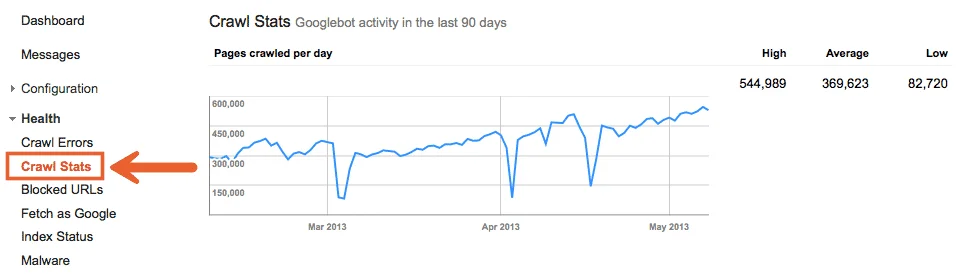
Tutorial image 1
Index blog posts: a practical publishing checklist 2
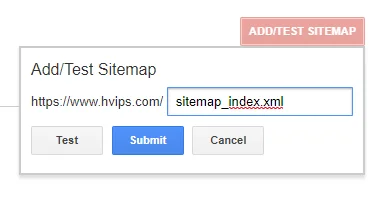
Tutorial image 2
Index blog posts: a practical publishing checklist 3
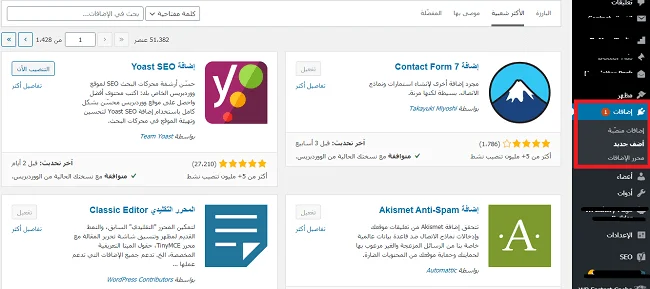
Tutorial image 3
Index blog posts: a practical publishing checklist 4
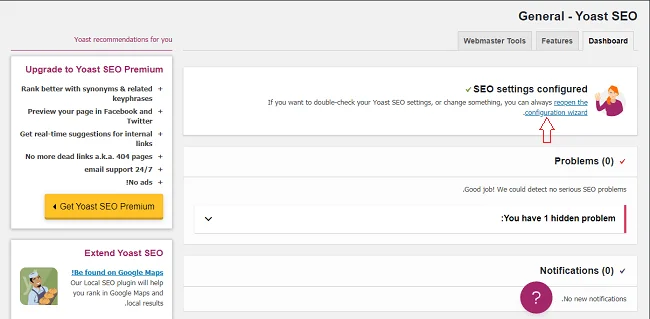
Tutorial image 4

References and tutorial links

Should I submit a preview URL?

No. Inspect the final published URL intended for search.

Should updates change the URL?

Usually retain a suitable URL and plan redirects if a move becomes necessary.

Can indexing be guaranteed in three minutes?

No. A request is a processing signal, not a guaranteed deadline or inclusion.

HVIPS / FEEDBACK

Was this article helpful?

Your feedback helps us improve.

Choose your rating out of five

Be the first to rate

Preview: your rating is saved in this browser only.

Share this article

Home/BlogSEO guidesHosting guides
SEO guides

Why pages are not indexed and how to diagnose it

Diagnose indexing delays in Search Console and separate discovery, crawling, canonical and content issues before requesting another crawl.

HVIPS editorial teamReading: 4 minutes
Why pages are not indexed and how to diagnose it
Image from the original article

Start with one URL and its status

Choose an important affected page and inspect its full URL in Search Console. Record indexing status, last crawl and declared or selected canonical where available. Failure to find a page for a broad keyword is not proof that it is unindexed. Distinguish stored index information from a live test; they answer different questions.

Discovered, currently not indexed

If Google knows the URL but has not crawled it yet, review internal discovery, sitemaps and server availability. Investigate excessive filter, search and parameter URLs with no independent value. Surface important pages clearly and avoid unbounded duplicate URLs. Buying links or repeatedly submitting requests is not a diagnostic fix.

Crawled, currently not indexed

If Google fetched the page but did not index it, review usefulness, completeness and similarity to other pages. Inspect actual visible content, not just the title. Consolidate overlapping pages when they serve the same need, or add meaningful information and relevant examples. Word-count inflation or date changes alone do not resolve the issue.

Check blocking, redirects and server errors

Review noindex, robots.txt, response codes and redirect chains. A missing page returning 200 with an error message can be misleading; use the appropriate response. Investigate logs, resources and protection layers when failures are intermittent. Keep intentional restrictions on private data and distinguish pages to repair from pages that should remain excluded.

Check canonicals and duplication

A page may be excluded because Google selected another version of the same content. Compare canonicals, internal links, sitemaps and redirects for consistency. Exclusion can be expected when the intended canonical is indexed. If the selected version is wrong, fix conflicting signals rather than trying to index every duplicate.

Fix the cause and monitor the result

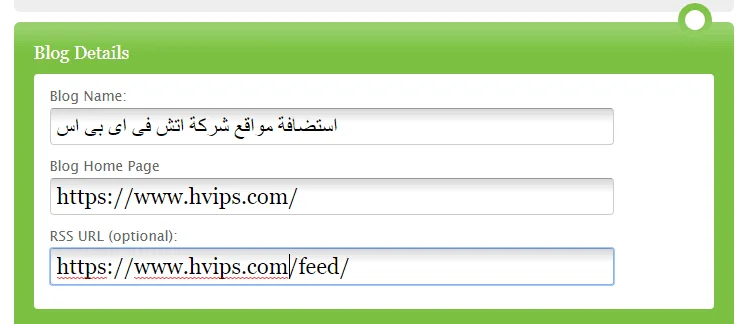
Log the change and date, test the live page where needed and request indexing after an appropriate fix. Monitor representative URLs and reports without expecting immediate updates. Historical Fetch as Google tools and general ping services do not replace current Search Console tools or site quality. No fixed three-minute indexing guarantee exists.

Original article images

These are preserved original media and may depict obsolete tools or interfaces. Use the reviewed instructions above for current practice.
Why pages are not indexed and how to diagnose it 1
Tutorial image 1

References and tutorial links

Is every excluded page a problem?

No. Exclusion may be intentional or reflect an indexed canonical alternative. Check the reason.

Do repeated requests speed up indexing?

No. Fix the cause and request after a relevant change rather than repeatedly submitting.

Does daily publishing solve indexing delays?

It is not a guarantee. Accessibility, usefulness and discovery matter more than frequency alone.

HVIPS / FEEDBACK

Was this article helpful?

Your feedback helps us improve.

Choose your rating out of five

Be the first to rate

Preview: your rating is saved in this browser only.

Share this article

Home/BlogSEO guidesHosting guides
SEO guides

Get your website ready for Google indexing

Prepare a website for crawling and indexing with Search Console, indexing directives, sitemaps and internal links, without guaranteed timelines.

HVIPS editorial teamReading: 4 minutes
Get your website ready for Google indexing
Image from the original article

Separate crawling, indexing and ranking

Crawling is fetching a page, indexing involves processing it for the search index, and ranking selects results for a query. Publication or sitemap inclusion does not prove indexing. An indexed page is not guaranteed a high position, so identify the affected stage before changing content or settings.

Verify the correct Search Console property

Verify ownership with an available method and follow its instructions. A domain property covers protocols and subdomains, while a URL-prefix property covers its specific prefix. Inspect the version actually in use, including HTTPS and the chosen hostname. Google Analytics serves a different purpose and is not a general indexing requirement.

Check access and indexing directives

Check that intended public pages work without login and respond successfully. Review robots.txt, WordPress visibility settings, meta robots and response headers. Blocking crawling is different from preventing indexing: Google must access a noindex directive to read it. Keep private staging environments restricted and apply changes only to the intended published site.

Set consistent canonicals and sitemaps

Choose a canonical version for each page and use it in internal links and sitemaps. Review redirects across protocol and hostname variants. Include valid canonical URLs intended for indexing in the XML sitemap and submit it to Search Console. Exclude deleted, redirected or noindexed pages. A sitemap supports discovery but does not force indexing.

Connect pages and provide useful content

Make important pages reachable through HTML links from relevant sections rather than site search alone. Use descriptive anchors and review orphan pages and duplicates. Answer the reader’s need with appropriate evidence or experience. No fixed text-to-HTML ratio or link count compensates for weak content or poor discovery.

Request indexing and monitor reports

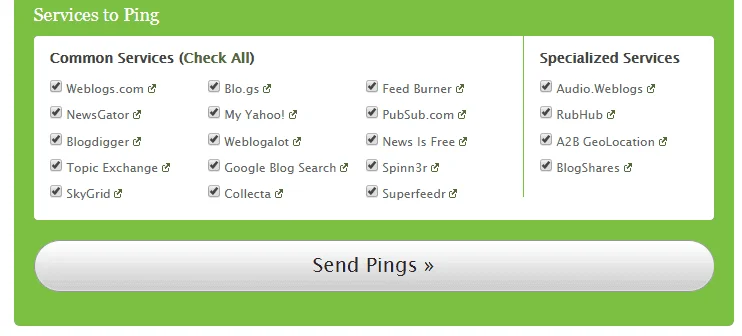
Inspect a canonical URL and use a live test when checking technical changes. After resolving blockers, request indexing for an individual page and use sitemaps for larger sets. Monitor page indexing reports. Repeated requests for the same URL do not make processing faster, and there is no guaranteed crawling or indexing deadline.

Original article images

These are preserved original media and may depict obsolete tools or interfaces. Use the reviewed instructions above for current practice.
Get your website ready for Google indexing 1
Tutorial image 1
Get your website ready for Google indexing 2
Tutorial image 2
Get your website ready for Google indexing 3
Tutorial image 3

References and tutorial links

Does a sitemap guarantee indexing?

No. It supports URL discovery but does not guarantee indexing.

Is Google Analytics required?

It is not a general indexing requirement. Use Search Console to inspect search status.

How long does indexing take?

Timing varies and some pages may not be indexed. Diagnose the cause rather than rely on a fixed deadline.

HVIPS / FEEDBACK

Was this article helpful?

Your feedback helps us improve.

Choose your rating out of five

Be the first to rate

Preview: your rating is saved in this browser only.

Share this article

Home/BlogSEO guidesHosting guides
SEO guides

Improve WordPress speed and performance

Improve WordPress performance through measured changes to images, caching and plugins, while checking Core Web Vitals and site functionality.

HVIPS editorial teamReading: 4 minutes
Improve WordPress speed and performance
Image from the original article

Measure before changing settings

Test the home page, an article and a service page, plus commerce pages where relevant. Record mobile and desktop PageSpeed Insights results. Separate real-user data from laboratory tests; device, network and sample availability affect results. A single run is insufficient evidence for buying a plugin or moving hosts.

Understand user-experience metrics

Core Web Vitals measure main-content rendering with LCP, interaction responsiveness with INP and visual stability with CLS. Good thresholds are LCP at or below 2.5 seconds, INP at or below 200 milliseconds and CLS at or below 0.1, assessed at the 75th percentile with mobile and desktop considered separately. They are experience targets, not ranking guarantees.

Optimize images, fonts and above-the-fold content

Serve appropriately sized images in suitable formats such as WebP or AVIF where supported, with acceptable visual quality. Reserve dimensions to reduce layout shifts and lazy-load offscreen images. Avoid delaying the main content image with lazy loading without measuring its effect. Reduce unused font families and weights.

Configure caching without breaking functionality

Back up and use staging where possible. Cache eligible public pages while excluding personalized pages, cart, checkout and account flows as required. Avoid stacking overlapping minification and script-delay systems at once. Test menus, forms, search, login and checkout after each change, then purge relevant caches.

Review plugins, hosting and the database

There is no magic plugin count. Investigate expensive queries, external calls and unnecessary work, and remove unused components after checking dependencies. Keep WordPress and the server stack supported and compatible. Examine resources and response times before upgrading hosting; a large image or external service may be the actual bottleneck.

Compare results and monitor impact

Retest the same pages under comparable conditions and log changes and results. Laboratory improvements may appear before real-user data reflects them. If functionality breaks, restore the last stable setup and isolate the cause. Prioritize less waiting and a functional experience rather than a perfect score at any cost.

Original article images

These are preserved original media and may depict obsolete tools or interfaces. Use the reviewed instructions above for current practice.

Improve WordPress speed and performance 1
Tutorial image 1

References and tutorial links

Is a score of 100 required?

It is not a guarantee of rankings or success. Assess functionality, user experience and actual metrics.

Do fewer plugins always mean a faster site?

Not necessarily. Workload and implementation quality matter more than count alone.

Should I cache every page?

No. Personalized, cart and checkout pages need exclusions appropriate to the system.

HVIPS / FEEDBACK

Was this article helpful?

Your feedback helps us improve.

Choose your rating out of five

Be the first to rate

Preview: your rating is saved in this browser only.

Share this article

Home/BlogSEO guidesHosting guides
SEO guides

Yoast SEO setup guide for WordPress

Set up Yoast SEO, titles, descriptions and XML sitemaps, and understand why plugin scores do not guarantee Google rankings.

HVIPS editorial teamReading: 4 minutes
Yoast SEO setup guide for WordPress
Image from the original article

What does Yoast SEO do?

Yoast manages WordPress SEO elements including titles, descriptions, XML sitemaps and structured data. It cannot replace useful content or guarantee crawling, indexing or rankings. Start with the page purpose, audience and question it answers, then use the plugin to support that content.

Install and migrate safely

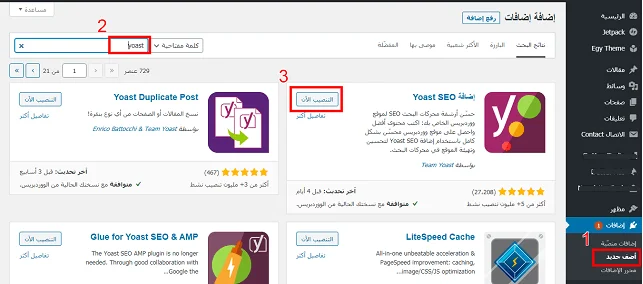
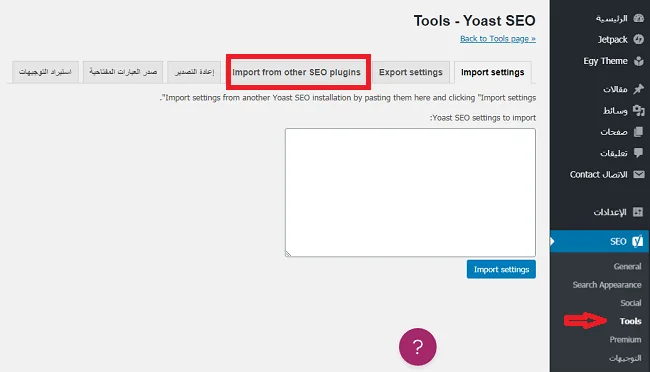
Back up files and the database, then install Yoast SEO from the official WordPress directory. If migrating from another SEO plugin, check its supported import options before disabling it. Inspect representative content types after migration and avoid two plugins producing competing titles and indexing directives.

First-time configuration and site identity

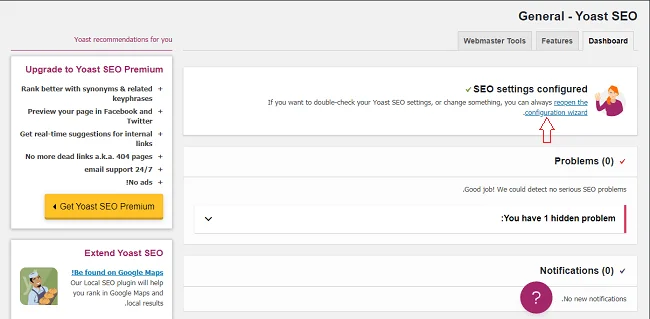
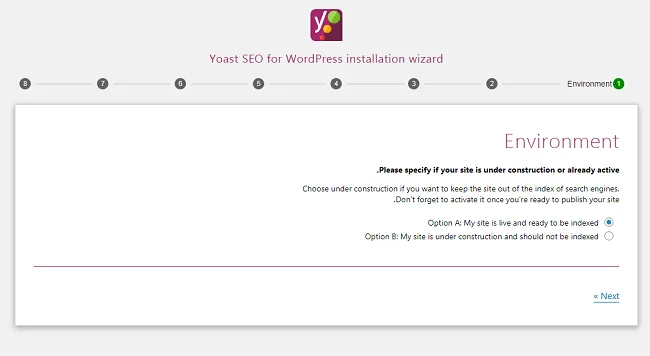
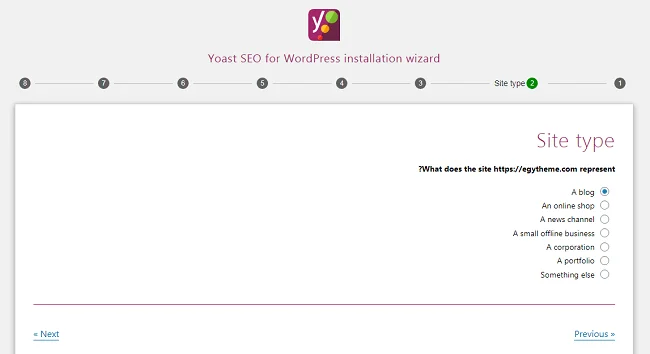
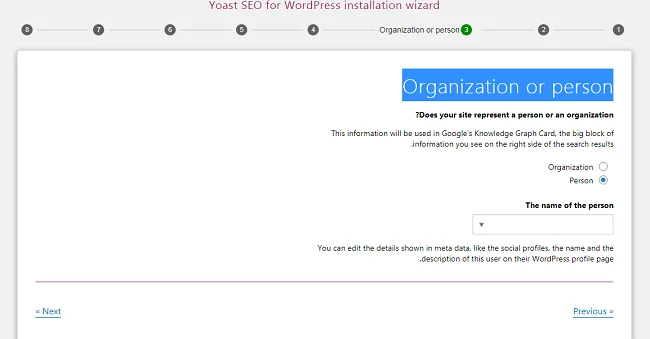
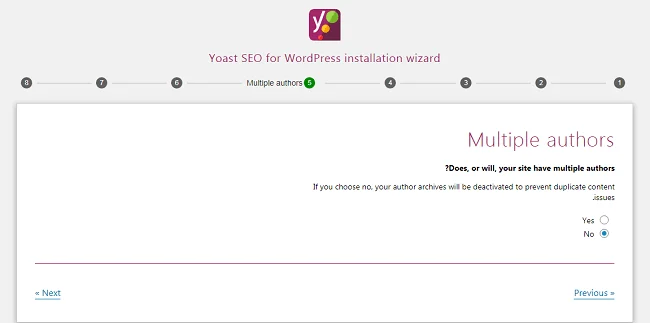
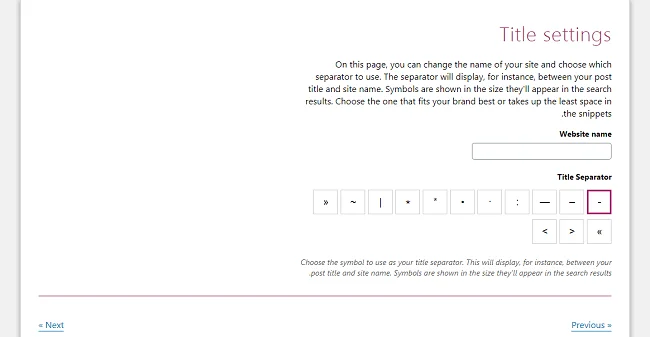
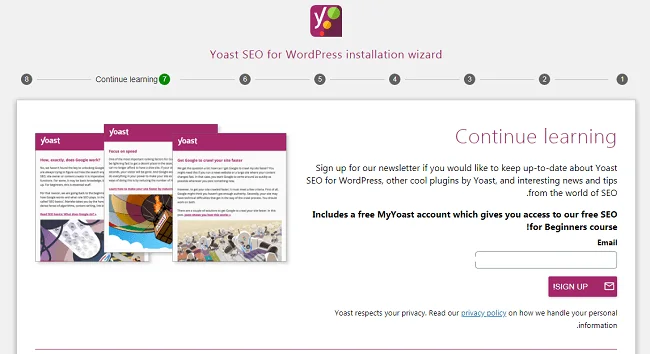
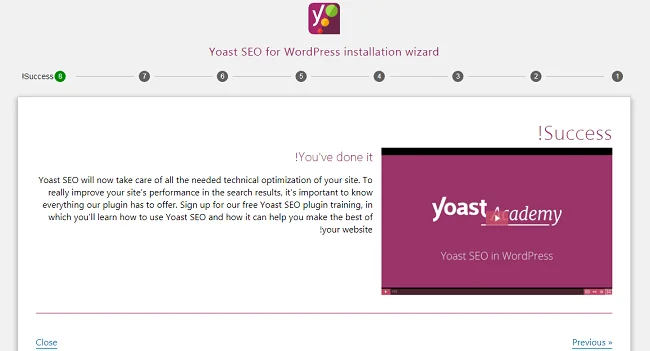
Open Yoast SEO, General, then First-time configuration; translated labels may vary. Review SEO data optimization, select whether the site represents an organization or a person, and supply accurate names, logos and official profiles. Set preferences deliberately and avoid invented authors or unrelated social accounts.

Titles, descriptions and focus keyphrases

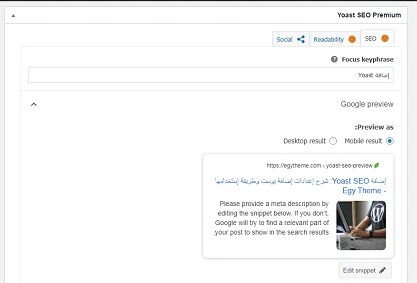
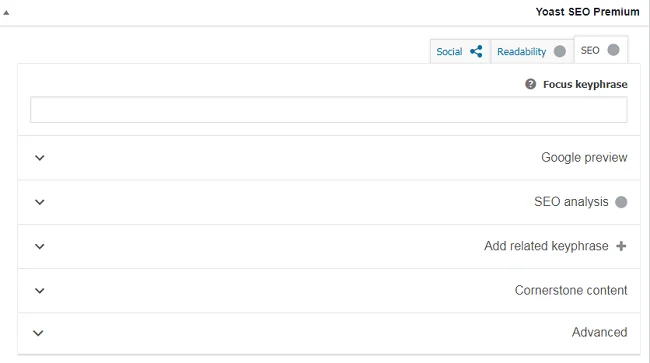
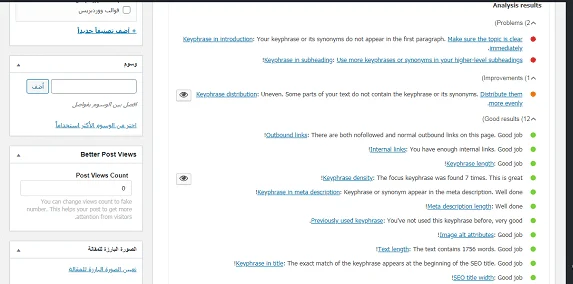
Write a distinct title that explains the page value and a description that summarizes it accurately. Use the focus phrase naturally rather than repeating it to turn checks green. The focus keyphrase field is an internal analysis aid, not a keyword submission to Google. Google may choose a different title or snippet for a query.

Sitemaps, indexing and structured data

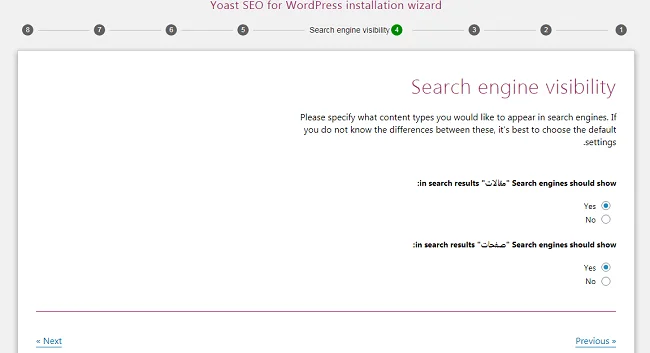
Review content-type and taxonomy visibility before changing it, and inspect the actual XML sitemap generated by the plugin. Submit its correct URL in Search Console and check that it contains canonical, indexable pages. Review theme-generated structured data too: organization and article identities should be consistent across theme and plugin output.

Validate after saving

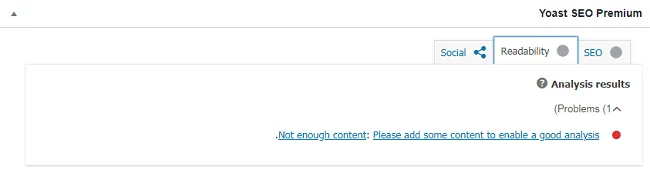
Check the home page, an article and an archive: inspect titles, descriptions, canonicals and indexing directives in the rendered source. Use Search Console URL Inspection for important pages and verify internal links. Monitor actual performance over time; a green plugin score alone does not demonstrate content quality or immediate visibility.

Original article images

These are preserved original media and may depict obsolete tools or interfaces. Use the reviewed instructions above for current practice.

Yoast SEO setup guide for WordPress 1
Tutorial image 1
Yoast SEO setup guide for WordPress 2
Tutorial image 2
Yoast SEO setup guide for WordPress 3
Tutorial image 3
Yoast SEO setup guide for WordPress 4
Tutorial image 4
Yoast SEO setup guide for WordPress 5
Tutorial image 5
Yoast SEO setup guide for WordPress 6
Tutorial image 6
Yoast SEO setup guide for WordPress 7
Tutorial image 7
Yoast SEO setup guide for WordPress 8
Tutorial image 8
Yoast SEO setup guide for WordPress 9
Tutorial image 9
Yoast SEO setup guide for WordPress 10
Tutorial image 10
Yoast SEO setup guide for WordPress 11
Tutorial image 11
Yoast SEO setup guide for WordPress 12
Tutorial image 12
Yoast SEO setup guide for WordPress 13
Tutorial image 13
Yoast SEO setup guide for WordPress 14
Tutorial image 14
Yoast SEO setup guide for WordPress 15
Tutorial image 15
Yoast SEO setup guide for WordPress 16
Tutorial image 16
Yoast SEO setup guide for WordPress 17
Tutorial image 17
Yoast SEO setup guide for WordPress 18
Tutorial image 18
Yoast SEO setup guide for WordPress 19
Tutorial image 19

References and tutorial links

Do I need Premium to start SEO?

The free version provides core features. Check the current feature list and buy only what your workflow needs.

Does a green score guarantee rankings?

No. It is an internal guidance score, not a Google indexing or ranking decision.

Can I run two SEO plugins together?

Avoid overlapping title, directive and sitemap output. Plan migration and verify imported data first.

HVIPS / FEEDBACK

Was this article helpful?

Your feedback helps us improve.

Choose your rating out of five

Be the first to rate

Preview: your rating is saved in this browser only.

Share this article

Home/BlogSEO guidesHosting guides
SEO guides

Google News eligibility and website preparation

Understand Google News eligibility, Publisher Center changes and how to prepare news content without promises of approval or traffic.

HVIPS editorial teamReading: 4 minutes
Google News eligibility and website preparation
Image from the original article

How Google News inclusion changed

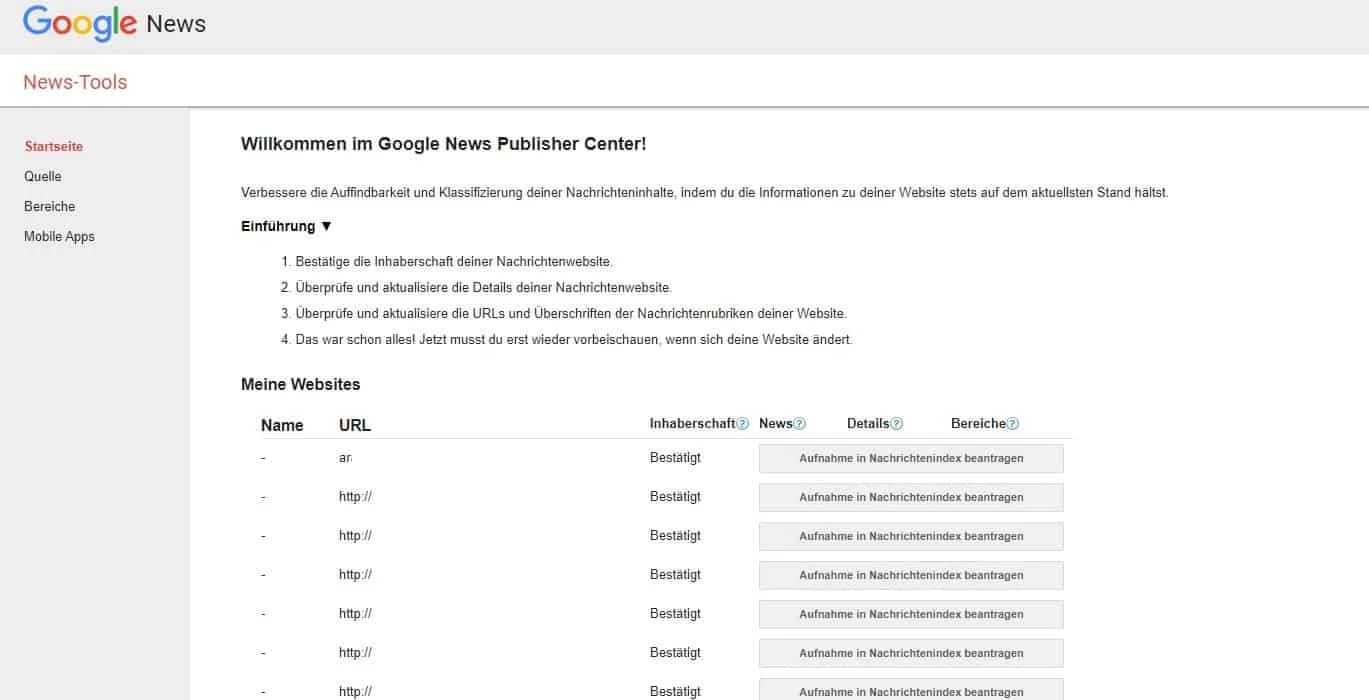
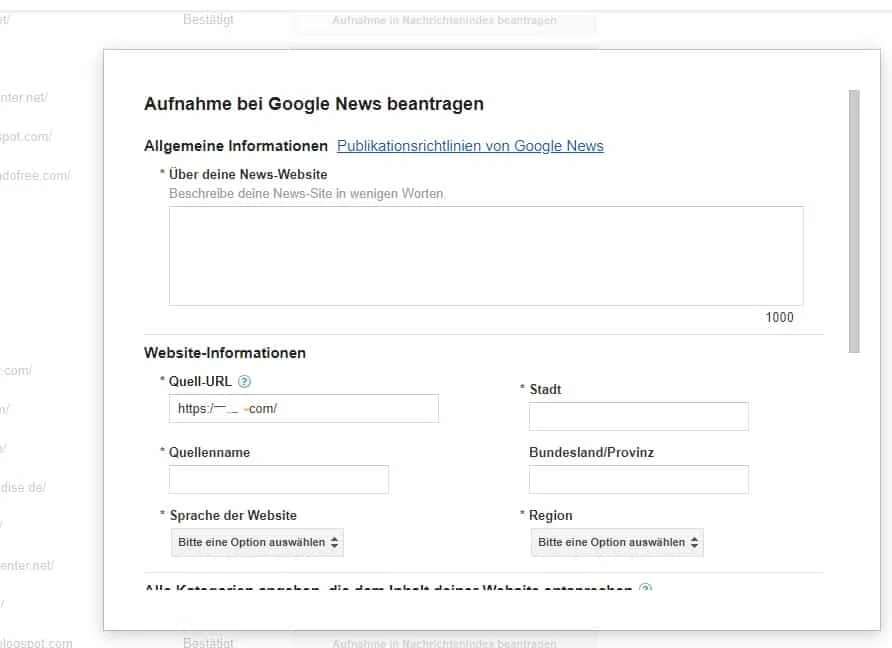
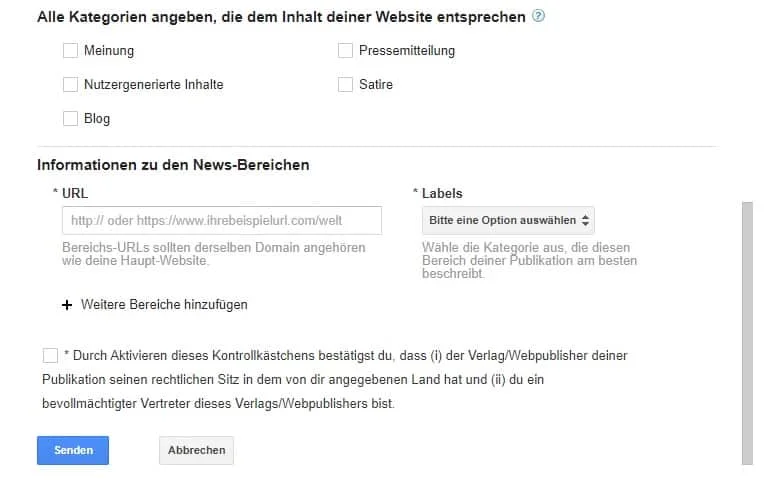
Google moved to automatically generated publication pages in late March 2025. The old manual publication-page and RSS-section submission workflow is no longer the process described here. Eligible content is considered automatically under applicable policies, but eligibility does not guarantee appearance. Original screenshots below document the historical interface.

Prepare useful news reporting

Give each story a clear subject and verifiable information. Distinguish reporting from opinion and promotional material, identify sources and correct substantive errors transparently. Avoid unsupported headlines and rewrites with no added value. A fixed word count or site age does not guarantee inclusion.

Make authorship and publication details clear

Provide publisher information and contact details, with accurate bylines and publication or update dates where appropriate. Do not refresh dates merely to make old reporting look new. Disclose relevant commercial relationships and make editorial and correction practices understandable.

Check technical accessibility

Use permanent article URLs and ensure intended pages respond successfully and expose their content to Google. Review robots.txt, noindex, canonicals and internal links. For subscription content, consult Google’s paywalled-content guidance instead of concealing access conditions or serving misleading content.

Use Search Console to diagnose search visibility

Verify the site, inspect representative articles and check discovery, crawling and the selected canonical. Submit a valid sitemap to support discovery and review performance reports available to your property. These actions support diagnosis; they do not amount to guaranteed Google News admission.

Evaluate outcomes realistically

Monitor reporting quality, audience relevance and page accessibility. Do not base traffic plans on a fixed approval deadline or guaranteed readership. A site can be indexable without every article appearing in Google News; relevance, freshness and other selection factors affect results.

Original article images

These are preserved original media and may depict obsolete tools or interfaces. Use the reviewed instructions above for current practice.

Google News eligibility and website preparation 1
Tutorial image 1
Google News eligibility and website preparation 2
Tutorial image 2
Google News eligibility and website preparation 3
Tutorial image 3
Google News eligibility and website preparation 4
Tutorial image 4
Google News eligibility and website preparation 5
Tutorial image 5

References and tutorial links

Is a manual application required?

Current guidance describes automatic consideration of eligible content; historical application forms are not the current inclusion workflow.

Are approval times or traffic guaranteed?

No. Meeting guidelines does not guarantee placement, traffic volume or a deadline.

Are the old screenshots current instructions?

No. They are retained as historical original media, not current instructions.

HVIPS / FEEDBACK

Was this article helpful?

Your feedback helps us improve.

Choose your rating out of five

Be the first to rate

Preview: your rating is saved in this browser only.

Share this article